Tasks are what you will track time against in BuildKeeper, and they can be both broad for smaller jobs and specific for the bigger ones. Every time you set up a stage of a job, you will select which tasks are associated with it. As an option, you can also group tasks together to more easily manage them. Go to Admin > Setup Tasks to add your tasks.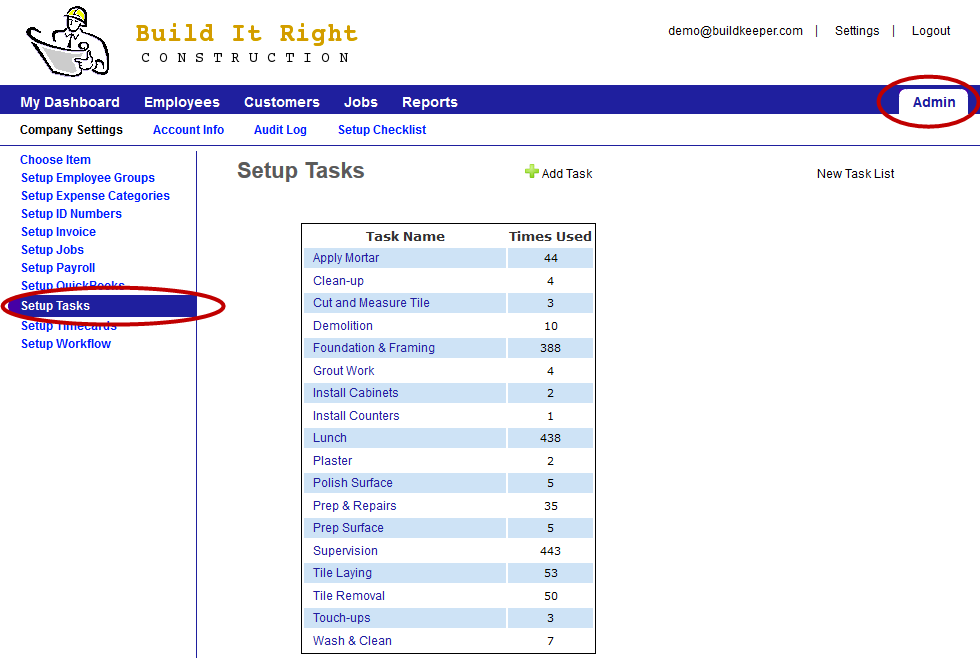
To set up a new task
- On the Setup Tasks page, click
 Add Task.
 - Enter the Name you would like to give the activity.
- Check the box if the Task is Non payable. Non-payable tasks are those where an employee would not be paid for what they're doing. The most common example of this type of task is lunch.
To group tasks together (optional)
- On the Setup Tasks page, click New Task List.
- Enter the Name you would like to group the tasks under.
- Assign existing tasks to the list by clicking on the task and selecting a Task list.