Tracking job activity is where BuildKeeper can really make things easier for you. Enter the jobs you’ve been hired for, and you’ll always know what your crew’s working on and the progress they’re making. Navigate to Jobs > Manage Jobs to start.
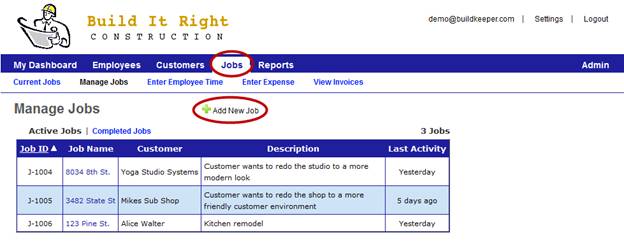
Adding a job
- Click
 Add New Job.
 - On the next page, fill out the basic job details and hit Save New Job.
A basic job profile is created. Follow these next steps to continue the setup by adding specific phases of the job and its details.
- Click Phase to enter more specifics, including scope and job type. When you’re done, click Add.
- Select the tasks you’ll be doing for this phase and click Add to move on.
- If known, enter an estimate for how long each task will take. Click Submit.
Now you and your crew can track time and expenses for the job. And you’ll be able to see your numbers at a glance whenever you need to.