Learn more about materials tracking, including how to setup and deploy.
Overview
Material expense is a major part of any job, it's now super easy for you and your crew to track and account for these costs.
How it works
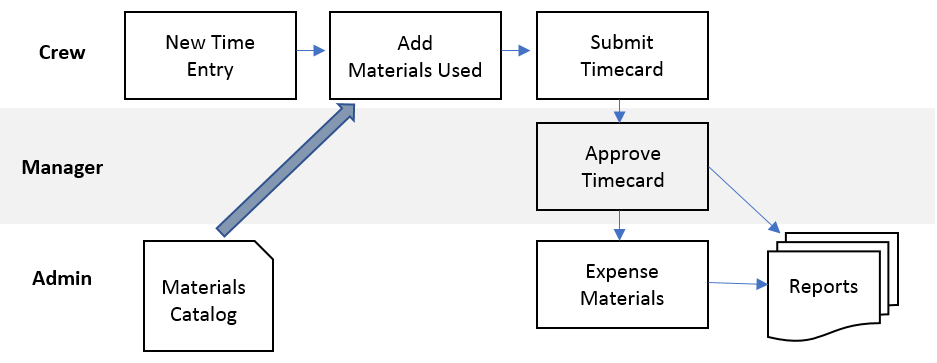
A materials catalog is created listing all the materials used on jobs. Whenever these materials are then used, they can then be entered directly or entered with time entries on a timecard. If entered with time, it goes through an expensing process so purchase information can be added. Materials can also be setup with default values so expensing happens automatically.
Getting Started
*Note: You must be on the Plus or Pro plan to use this feature. Learn how to switch plans.
Frequently Asked Questions