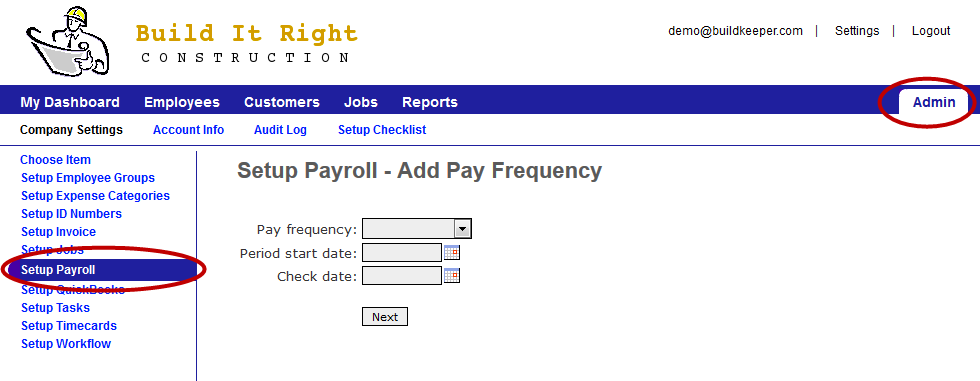
To ensure that your reports correspond to your typical payroll cycle, you must set your pay periods in BuildKeeper. Go to Admin > Setup Payroll > Pay Frequency and click  Add Pay Frequency to start.
- For Pay frequency, select how often you do payroll.
- For Period start date, select the first day your current pay period starts.
- For Check date, select the day that you will be issuing paychecks for the current pay period.
Then click Next. You will get a chance to review the 12 upcoming pay periods before submitting.