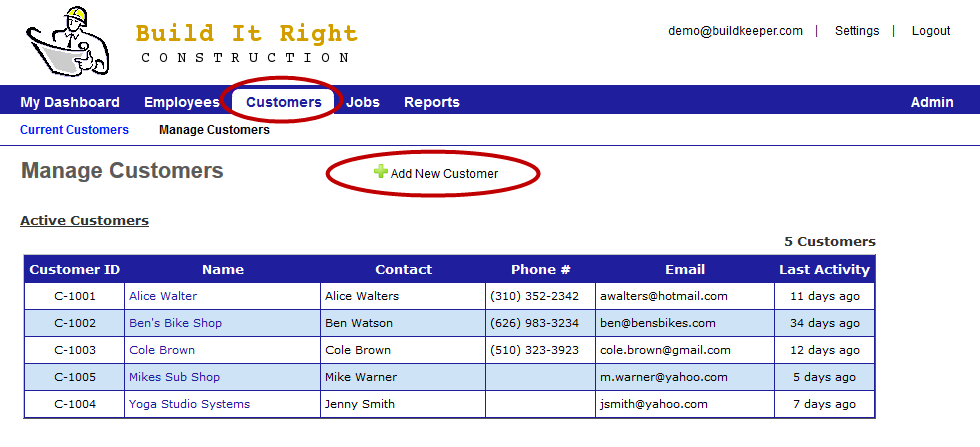
Located under the Customers tab, the Manage Customers page is where you can maintain basic information about your customers. All jobs created in BuildKeeper must be associated with a customer.
To add a customer:
- Click
 Add New Customer.
 - Enter basic information about your customer.
- Click Save New Customer.
 To edit a customer profile:
- From the Manage Customers page, click the name of the customer you want to edit.
- At the top of the customer's profile, click
 Edit Customer.
 - Make changes as needed.
- Click Update Customer.
To delete a customer:
- From the Manage Customers page, click the name of the customer you want to remove.
- At the top of the customer's profile, click Edit Customer.
- In the top-right corner, click
 Delete Customer.
 - Click OK to confirm.
*Note: A customer cannot be deleted if they have any jobs associated with them.